What to say
We draft what to say — your voice, their context, ready for your edit.
Website extract, seller context, tone presets, and per-prospect AI drafts — so outreach sounds like you, not a template farm.
Seller context
Start from your site, not a blank form
Optional website extract pulls offer, ICP, and proof points into Settings. Signup can prefill from the homepage form so personalization starts before you finish onboarding.
From your site
https://yourcompany.com
Offer · Personalized outbound for founders
ICP · VP Product, Head of Growth
Tone · Direct, no fluff
Voice
Tone presets and banned phrases
Pick Direct, Friendly, Professional, or Conversational — or describe your voice. Preview sample drafts before they hit a campaign.
- DirectActive
- Friendly
- Professional
- Conversational
Drafts
AI notes per prospect, still yours to edit
Campaign AI mode drafts invite notes, messages, and follow-ups from seller context plus LinkedIn profile data. You review and edit in the review workspace.
Per-prospect draft
Hi {{first_name}} — saw your work as {{role}} at {{company}}. Would love to connect.
Edit in review · then launch
Free copy tools
Preflight your outreach in the Message Lab
Want to test your current cold email or LinkedIn message draft before launching a campaign? Use our free AI Cold Email Checker and Outbound Message Lab suite with zero signup required.
Free Outbound Message Lab
Preflight copy before sending
Grade cold emails from 0–100 with our 7-factor diagnostic or generate LinkedIn notes strictly under 300 characters.
Product evidence
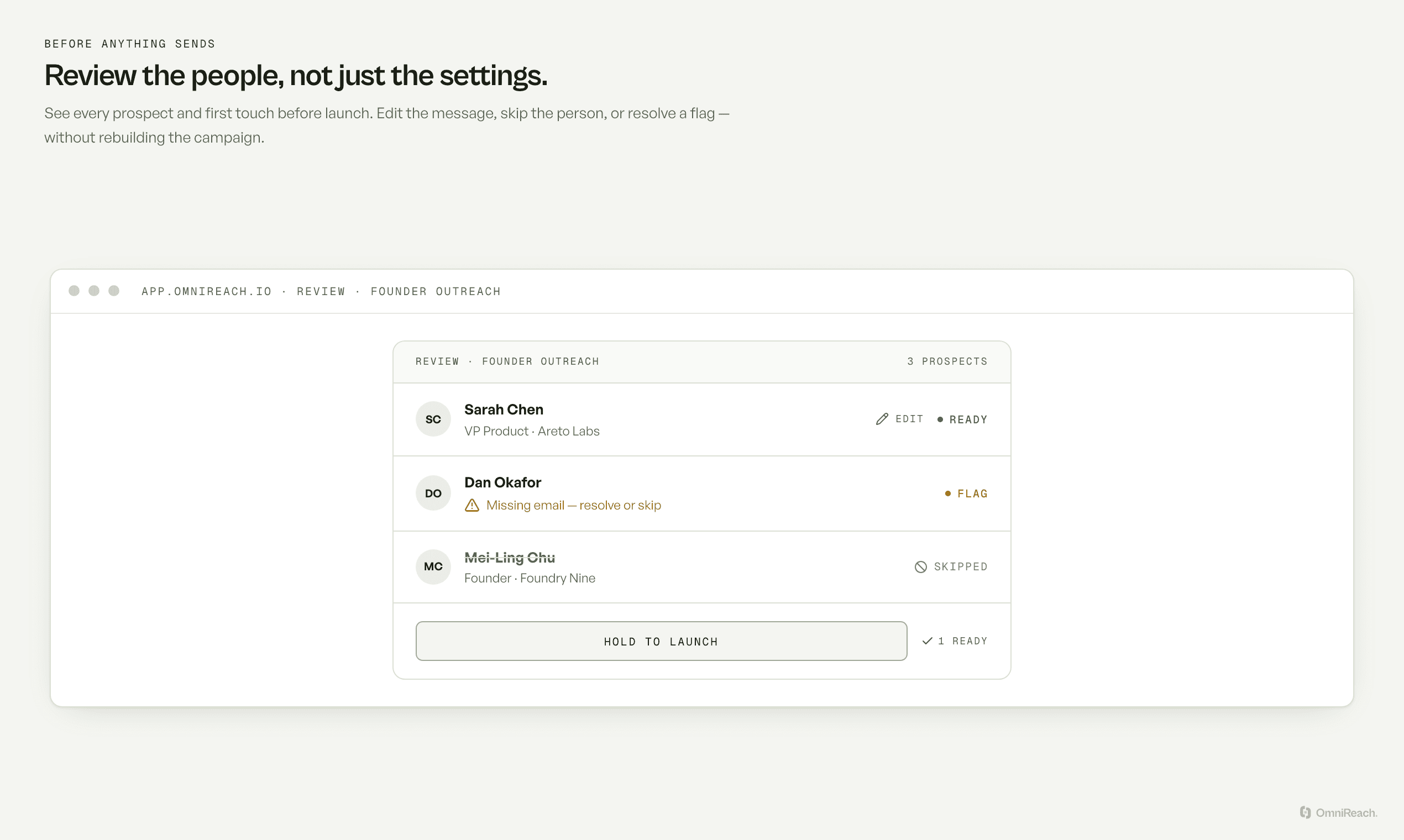
Review the first touch before launch
The review workspace makes the draft, missing-data flags, and launch decision visible before a first touch goes out.
Workflow
How it works in practice
- 01
Set seller context
Start with your offer, ICP, proof points, and voice so drafts have a clear point of view.
- 02
Draft for the prospect
AI uses seller context together with available prospect context to prepare a starting point for each outreach message.
- 03
Review and edit
Inspect the first touch, edit the wording, resolve flags, or skip a prospect before launch.
Best for
Founders protecting their voice
Use drafts as a faster first pass while keeping the final message in the founder's hands.
Consultants with distinct offers
Keep each client's offer and ICP in context instead of starting every campaign from a generic template.
Straight answers
Questions about personalization.
What context does OmniReach use for personalization?
Drafts can use seller context such as your offer, ICP, proof points, and voice, plus available prospect context from their profile.
Can I edit AI-generated outreach?
Yes. AI drafts are a starting point. You can review and edit the first touch, resolve flags, or skip a prospect before launch.
What are the limits of AI personalization?
AI can help prepare a draft from the context available to it, but it does not replace checking the message, the prospect details, or the relevance of the outreach.