You in the loop
Replies land here — the sequence stops, and you respond as yourself.
Synced LinkedIn reply threads, labels, and a composer in one workspace inbox — sequences stop when someone answers.
Threads
Replies in one place
Inbox syncs conversations from connected LinkedIn accounts so you can read and reply without juggling browser sessions for every campaign.
That sounds interesting. How does pricing scale?
Thanks for connecting…
Stop on reply
The sequence ends when they answer
A reply halts follow-ups automatically. They hear from you next — not another queued step.
·Sequence stopped
Follow-ups never fire at someone who already wrote back. The next message is yours.
Suppression
Not interested stays not interested
Workspace-wide do-not-contact blocks launch for people who opt out — across every account you connect.
Workspace suppression
Mark "Not interested" from a thread to add them to the do-not-contact list — shared across every LinkedIn account in the workspace.
Blocks launch · shared DNC
Product evidence
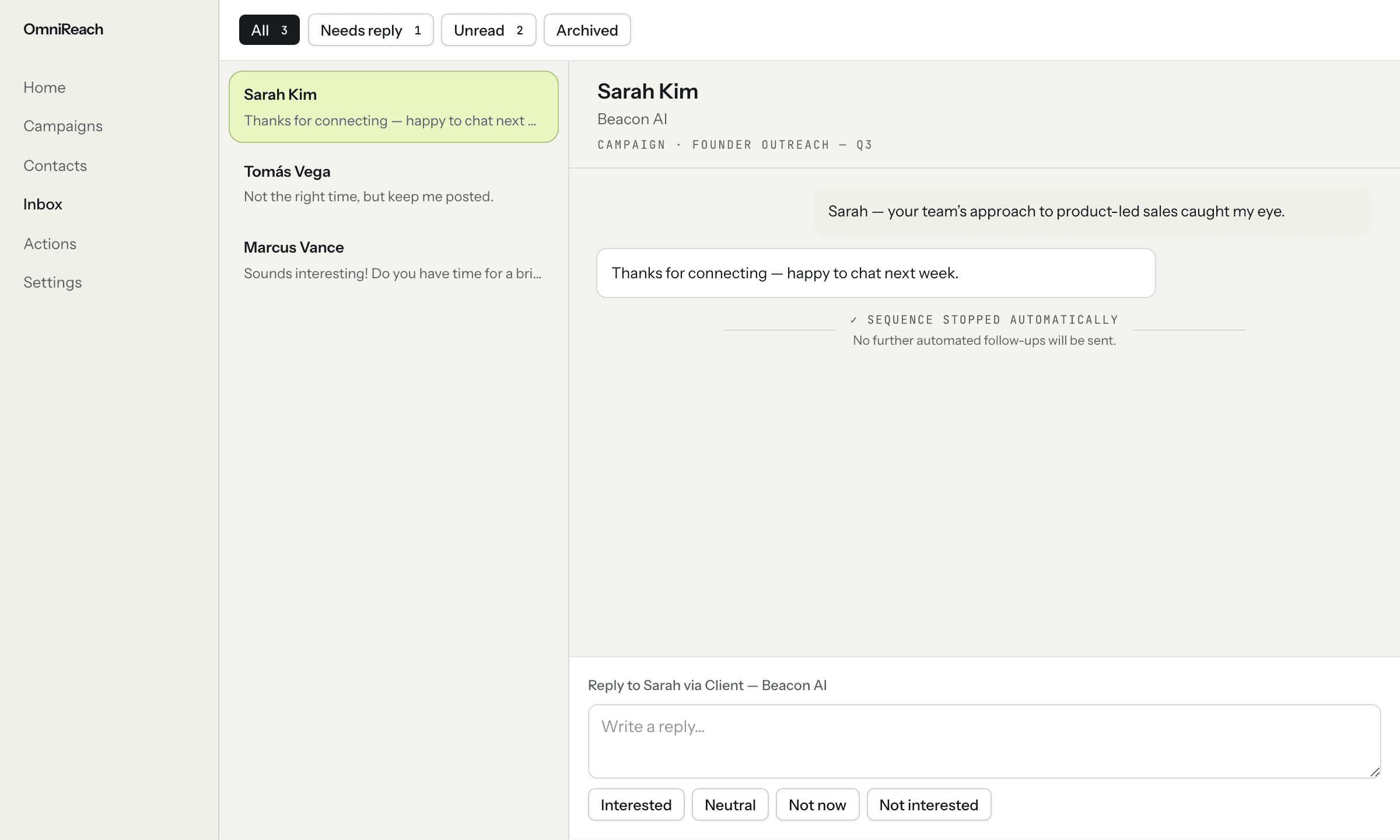
A reply takes the sequence out of the way
A synced reply thread stays readable alongside the sequence status, so the next message can be a human response.
Workflow
How it works in practice
- 01
Sync reply threads
Connected LinkedIn reply threads arrive in the workspace inbox instead of living across separate browser sessions.
- 02
Stop the sequence
When someone replies, the sequence stops so no queued follow-up competes with the conversation.
- 03
Keep preferences current
Mark a thread Not interested when appropriate to add the person to the shared do-not-contact list.
Best for
Founder-led follow-up
Keep prospect replies close to the campaign context, then take over with a personal response.
Shared team coverage
Centralize connected LinkedIn replies so a team can see which conversations need attention.
Straight answers
Questions about inbox.
What happens when a prospect replies?
The reply syncs to OmniReach Inbox and the prospect's sequence stops, so a queued follow-up does not send after their response.
How does do-not-contact work in Inbox?
Marking a thread Not interested adds that person to the workspace do-not-contact list, which blocks launch across connected accounts.
Can a team manage replies together?
Yes. Connected LinkedIn reply threads are centralized in the workspace inbox so a team can see conversations that need a response.
Keep learning
Related resources
Explore the other pieces: Signals · Personalization · Sequences